Blog >> How To Use Roame.Travel To Find Award Availability [2026]
By Kevin Zanes / January 2, 2026

Earning points and miles has become the easy part. Welcome bonuses are larger than ever, everyday spending quietly builds balances, and it is common to see travelers sitting on six figures of points with no clear plan to use them. The hard part starts when you try to turn those points into a real flight. That is where most people hit the wall.
Award availability is the biggest friction point in award travel. Airline websites can be slow and inconsistent. Some only show a few days at a time. Others bury partner flights or price the same seat differently depending on the program you search. You end up running the same search over and over, across multiple loyalty programs, hoping something finally appears. If you are aiming for Business Class or First Class, the problem gets worse. Those seats are limited, they can vanish in minutes, and most people do not have the patience to keep checking every day.
This is exactly why tools like Roame.travel exist.
This guide will walk you through how to use Roame.travel step by step, even if you are completely new to booking award flights. You will learn how award availability actually works, how to choose between the various Roame search modes, how to read results without getting misled, and how to move from a promising search result to a confirmed booking with confidence.
What Is Roame.Travel
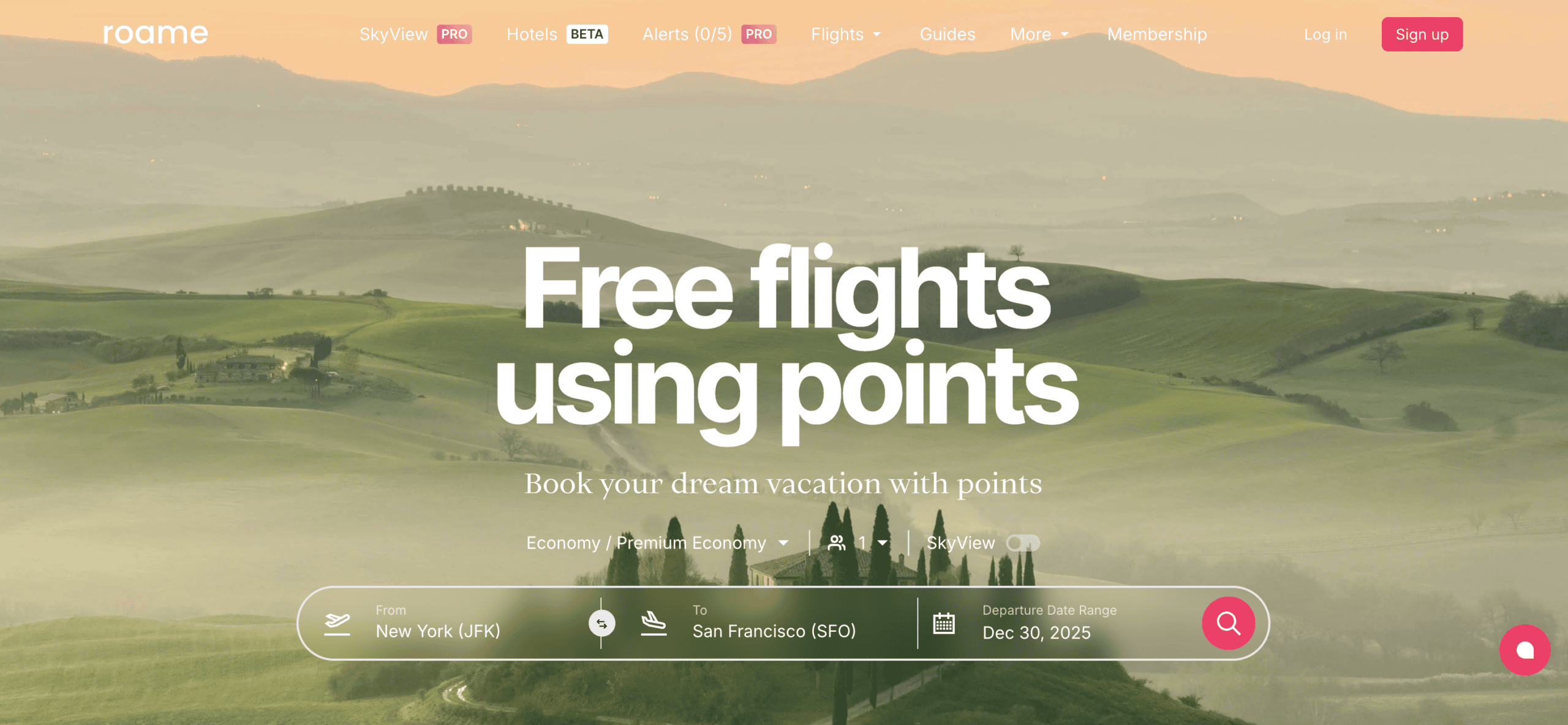
Roame.travel is a search engine built specifically for finding award flights. Instead of searching for cash fares, it searches for flights that can be booked using airline miles or points. You enter where you want to fly from, where you want to go, and how flexible your dates are. Roame then shows award availability across multiple airline loyalty programs in one place.
This distinction is important. Roame.travel does not belong to an airline, and it does not sell tickets. Its only job is to surface award seats that airlines have already made available through their loyalty programs. Once you find a flight that works, you complete the booking directly on the airline website using the required miles.
Why Roame.Travel Was Created
Award travel has always been more difficult than booking flights with cash. Airlines release award seats in limited quantities, often without clear or predictable patterns. Most airline websites force you to search one route and one date at a time. If you have flexible dates or are open to multiple programs, that process becomes slow and frustrating very quickly.
Roame.travel was created to solve three major problems.
- Time. Manually checking award availability across multiple airline programs can take hours. Roame brings those searches together so you can see results in a single place instead of repeating the same search again and again.
- Visibility. Airline websites rarely show the full picture of award availability. Partner flights can be difficult to find, and pricing often changes depending on the program you search. Roame shows award space across multiple programs at once, which helps you uncover options you might never think to check on your own.
- Flexibility. Successful award travel often requires flexibility with dates, routes, or loyalty programs. Roame is designed to support that reality by offering different search modes that let you confirm specific dates or explore broader availability when your plans are not locked in.
Instead of forcing you to adapt to airline booking engines, Roame.travel adapts to how award travelers actually search for flights.
What Roame.Travel Does Well
Roame.travel excels at showing you what is realistically possible with airline miles. It helps answer questions like:
- Which routes have award availability right now
- When award seats are available across a range of dates
- Which airline programs can book the same flight
- How availability changes when you widen or narrow your search
Its clean layout and guided search options make it approachable for travelers who are new to award travel, while still providing enough depth for more experienced users who want to compare programs and monitor availability.
What Roame.Travel Does Not Do
It is just as important to understand what Roame.travel does not do.
- It does not book flights for you
- It does not guarantee award space will still be available when you click through
- It does not show every airline or every loyalty program
- It does not replace the airline website for final booking
Think of Roame.travel as a discovery and planning tool for award flights. It helps you identify viable options quickly and reduce guesswork, but you still need to act quickly and complete the booking directly with the airline once you find availability.
How Award Availability Really Works
Before you can use Roame.travel effectively, it helps to understand what award availability actually is. Many frustrations with booking flights using points come from not knowing how airlines release award seats in the first place. Once this clicks, the search results on Roame.travel will make far more sense.
What Award Availability Means
Award availability refers to seats that an airline allows you to book using miles or points instead of cash. These seats come from specific fare buckets that airlines control separately from paid tickets. Even if a flight has many empty seats, that does not mean award seats are available.
Airlines decide:
- How many award seats to release
- Which cabins get award space
- Which loyalty programs can access those seats
- When those seats become bookable
This is why two flights on the same route can look completely different when searching with points.
Saver Awards vs Higher-Priced Awards
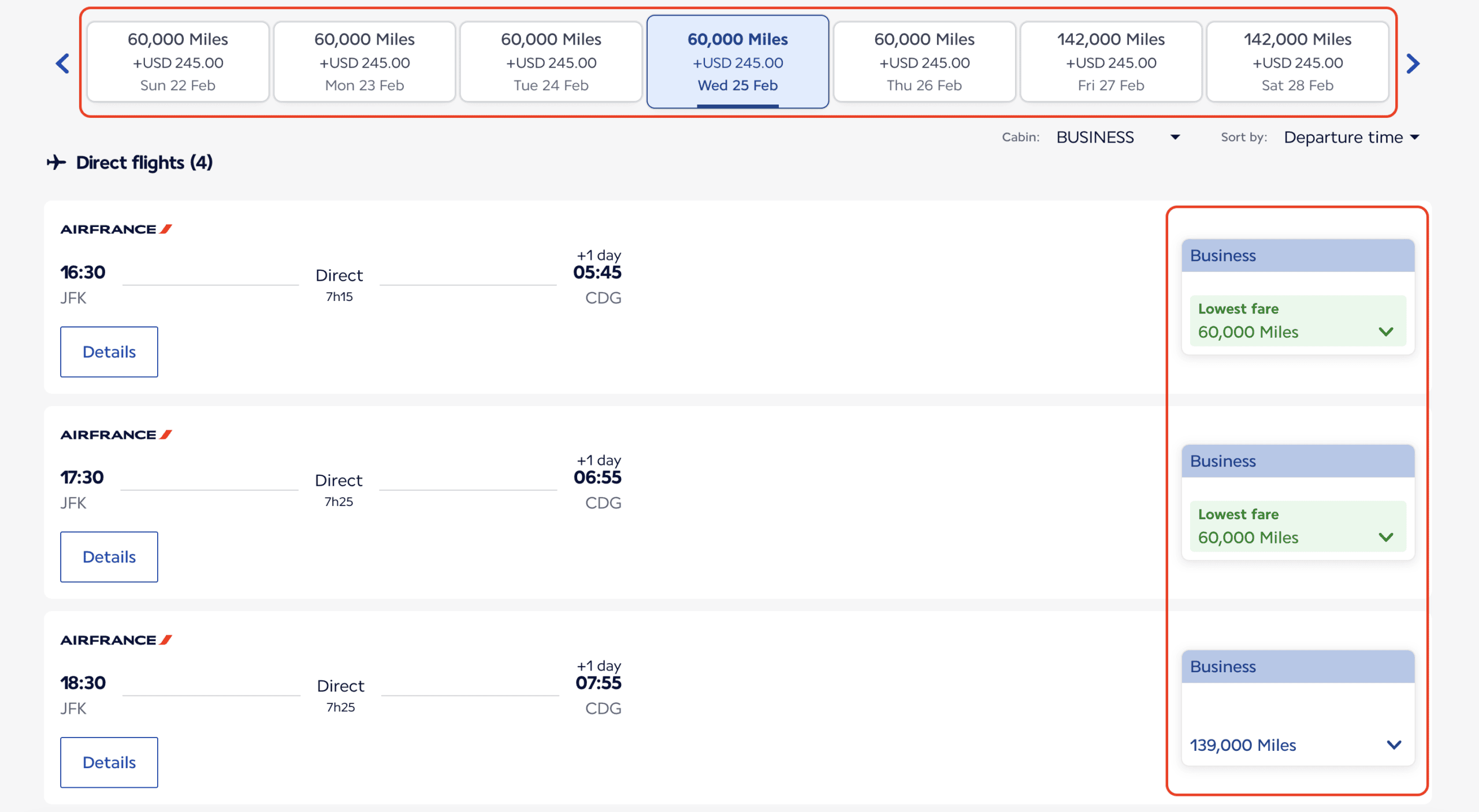
Most airlines have at least two types of award pricing.
- Saver Awards are the lowest priced options and the ones travelers want most. These seats are limited and often released far in advance or close to departure.
- Standard or Dynamically Priced Awards cost far more points and are usually available when saver space is gone. These are often poor value, especially in premium cabins.
Roame.travel is especially useful because it helps you spot saver-style availability across many programs quickly, without guessing which dates might work.
Why Partner Airlines Matter So Much
One of the biggest secrets in award travel is that you rarely need to book through the airline you are flying. Airline loyalty programs partner with other airlines through alliances like Star Alliance, oneworld alliance, and SkyTeam alliance. When award space is released, partner programs often have access to it.
For example:
- A flight operated by SWISS can be booked using Air Canada Aeroplan points
- A Qatar Airways flight can be booked using American Airlines AAdvantage or British Airways Executive Club miles
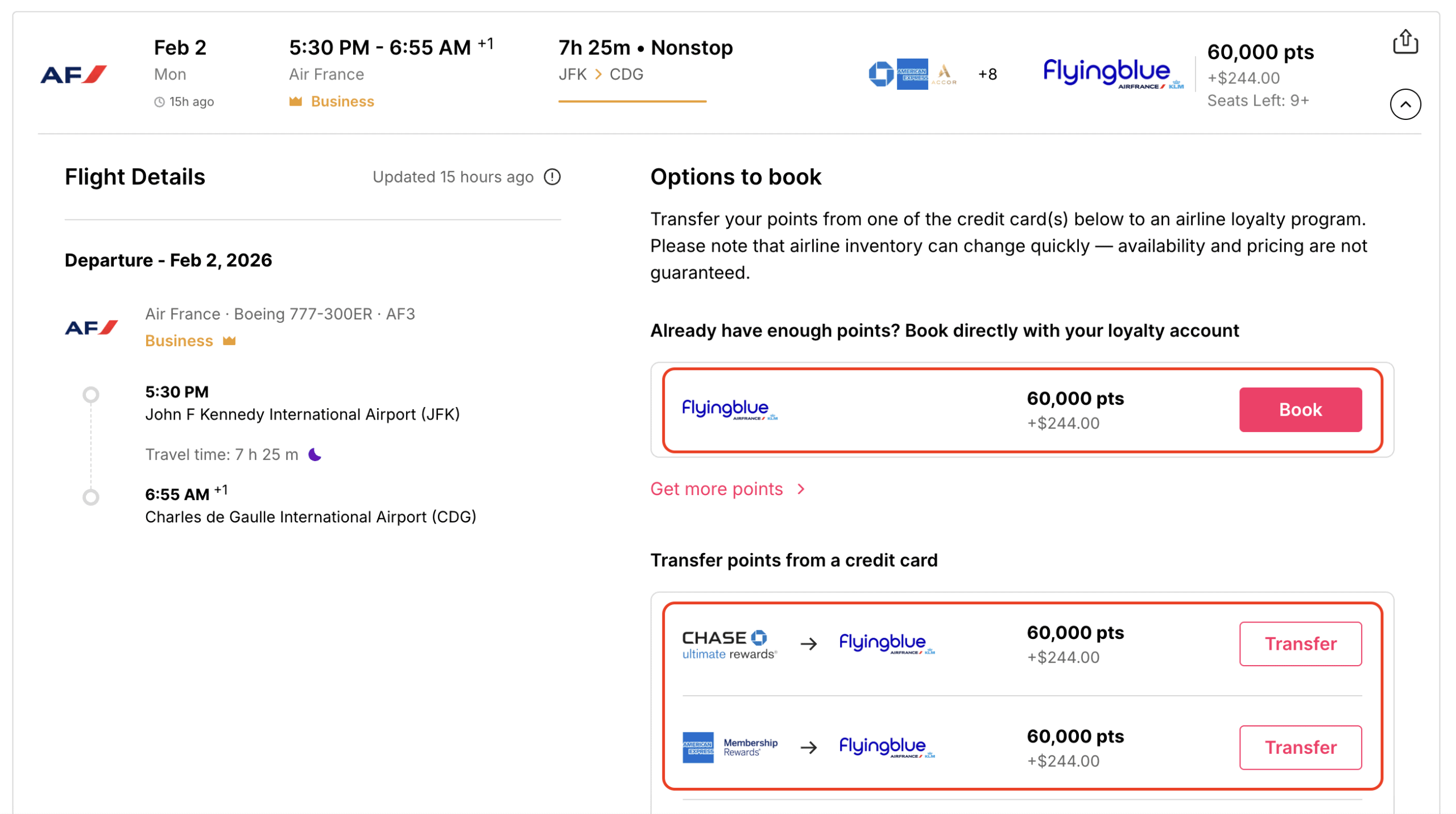
- An Air France flight can appear in multiple programs at once – Air France-KLM Flying Blue, Delta SkyMiles, Japan Airlines Mileage Bank, or Virgin Atlantic Flying Club
Roame.travel tracks availability by program, not just by airline. This is why you might see the same flight listed multiple times at different prices. Understanding this opens up far more booking options.
Why Premium Cabin Awards Are Harder to Find
Business and First Class seats are the most valuable redemptions, but they are also the most limited. Airlines protect premium cabins for paying passengers, then release award seats based on demand.
Many airlines follow patterns like:
- Releasing seats far in advance, often close to one year out
- Holding seats until the last few weeks before departure
- Releasing seats unpredictably, sometimes one at a time
This is why searching a single date rarely works. Flexible searches, alerts, and wide date ranges are critical. Roame.travel is built around this reality.
Why Flexibility Beats a Large Points Balance
Many travelers think they need more points to book great trips. In reality, flexibility matters more.
Being flexible with:
- Departure Dates
- Departure Airports
- Arrival Airports
- Airline Programs
- Cabin Expectations
often unlocks far better value. Roame.travel rewards flexibility by showing patterns across days, weeks, or even months, rather than forcing you into a single search box.
Roame.Travel Membership Levels
One of the most common questions travelers ask before using Roame.travel is simple. Do you need to pay for it, or is the free version enough. The short answer is that both the free and paid versions are useful, but they serve different types of travelers. Understanding the differences early helps you avoid paying for features you do not need, while also knowing when an upgrade actually makes sense.
Roame offers three membership tiers. For award flight searches, most travelers will only ever consider the first two.

Community Membership – The Free Version
The Community membership is completely free and provides a solid introduction to award searching with Roame. It is designed for casual travelers or those who are still learning how award availability works.
With the free version, you can:
- Search award flights up to 365 days in advance
- Run live searches within a limited date window
- Use basic filters to narrow results
- View SkyView results over a short time horizon
This is enough to explore routes, understand which programs show availability, and get comfortable reading award results. If you are booking Economy Class flights, traveling close to departure, or simply trying to learn how award searches behave, the free version delivers real value.
The main limitations show up when you need flexibility or automation. Live searches are restricted to a narrow date range, SkyView searches are limited, and you cannot set award alerts. That means you still need to check availability manually if seats are not there the first time you search.
Friends of Roame – The Paid Option
The Friends of Roame membership is designed for travelers who want to be more proactive and efficient with award searches. This is the tier that unlocks the features most people associate with powerful award tools. The cost is $12.99 per month or $109.99 per year, which is modest compared to the value of even one good award redemption.
With a Friends of Roame subscription, you gain:
- Wider live search windows
- Much larger SkyView search ranges
- The ability to set award alerts
- Multi region and more flexible discovery searches
Alerts alone are often worth the upgrade. Instead of checking the same route every day, you can let Roame monitor availability and notify you when seats open. This is especially valuable for Business Class and First Class awards, where availability can appear suddenly and disappear just as fast.
This tier makes the most sense if:
- You are planning trips far in advance
- You are flexible on dates and want to spot patterns
- You are searching for premium cabin awards
- You do not want to check availability manually every day
For most points and miles enthusiasts, this is the sweet spot between cost and capability.
Enterprise Membership
The Enterprise tier is built for businesses, agencies, or heavy commercial use. It offers much larger search windows, more alerts, and enterprise level access. The Enterprise membership costs $399.99 per month or $3,499.99 per year when billed annually. For individual travelers booking their own award flights, it is far more than you need and can safely be ignored.
Understanding Airline Programs and Partners

One of the most confusing parts of award travel is the difference between the airline you fly and the program you book through. Roame.travel is built around this distinction, and once you understand it, the tool becomes far more powerful.
Airlines vs Loyalty Programs
An airline operates flights. A loyalty program controls how those flights can be booked with points.
These are not always the same thing.
For example:
- SWISS operates flights, but it does not need to be the program you book with
- United Airlines operates flights, but its partners can often book those same seats
- Qatar Airways operates flights, but several programs can access that award space
Roame.travel searches by program, not just by airline. This is why you may see the same flight listed multiple times at different prices.
Why Partner Airlines Matter So Much
Airline loyalty programs form partnerships through alliances and bilateral agreements. These partnerships allow one program to book seats on another airline.
The three major alliances are:
When an airline releases award space, that space often becomes available to partner programs at fixed prices. These partner prices are frequently lower than booking through the airline’s own program.
This is one of the biggest opportunities in award travel.
Roame.Travel Airline Loyalty Programs
One of the first things you will notice when using Roame.travel is that searches are built around airline loyalty programs, not just airlines. This is intentional, and it is one of the most important concepts to understand early on.
Roame.travel currently searches award availability across more than 25 major airline loyalty programs, spanning all three global alliances, Star Alliance, oneworld alliance, and SkyTeam alliance.
Roame.travel tracks award availability through the following programs:
- Aer Lingus AerClub
- Air Canada Aeroplan
- Air France-KLM Flying Blue
- Alaska Airlines Atmos Rewards
- American Airlines AAdvantage
- Avianca lifemiles
- British Airways Executive Club
- Cathay Pacific Asia Miles
- Delta SkyMiles
- Emirates Skywards
- Etihad Guest
- Finnair Plus
- GOL Smiles
- Iberia Plus
- JetBlue TrueBlue
- Lufthansa Miles & More
- Qantas Frequent Flyer
- Qatar Airways Privilege Club
- SAS EuroBonus
- Singapore Airlines KrisFlyer
- Spirit Airlines Free Spirit
- TAP Portugal Miles&Go
- Turkish Airlines Miles&Smiles
- United Airlines MileagePlus
- Virgin Atlantic Flying Club
- Virgin Australia Velocity
A Simple Example That Shows The Power of Partners
Imagine you want to fly from New York City (JFK) to Zurich, Switzerland (ZRH) in Business Class on SWISS.
![How To Use Roame.Travel To Find Award Availability - Partner Award Flight Booking Example [JFK - ZRH]](https://www.thepointsanalyst.com/wp-content/uploads/2025/12/Image-1-2-26-at-10.03-AM-scaled.png "How To Use Roame.Travel To Find Award Availability [2026] 5 - roame.travel")
You might assume you need SWISS Miles & More miles. In reality, you could book that same flight using:
- Air Canada Aeroplan
- ANA Mileage Club
- Avianca lifemiles
- Singapore Airlines KrisFlyer
- Turkish Airlines Miles&Smiles
- United Airlines MileagePlus
Each program may charge a different number of points and different fees, even though the flight is identical. Roame.travel makes this visible instantly. Instead of guessing which program to search, you can see all available options at once.
Why Transferable Points Work So Well With Roame.Travel
Many credit card points are transferable to multiple airline programs. These include currencies like:
- American Express Membership Rewards
- Bilt Rewards
- Capital One Miles
- Chase Ultimate Rewards
- Citi ThankYou Rewards
- Rove Miles
- Wells Fargo Rewards
Roame pairs perfectly with transferable points because it shows you which programs have availability before you move any points. This helps you avoid one of the biggest mistakes in award travel, transferring points too early to the wrong program.
You search first, confirm availability, then transfer points only when you are ready to book.
Search, Discover, And SkyView: The Three Core Ways To Use Roame.Travel
Once you understand airline programs and partners, the next step is learning how to actually search. Roame.travel offers three different flight search options, Search, Discover, and SkyView. They may look similar at first glance, but each one is built for a very different type of traveler and planning scenario.
Knowing when to use each option will save time and prevent frustration. A simple way to think about it is this:
- Discover is best when you want inspiration
- SkyView is best when you want flexibility and patterns
- Search is best when you are specific and ready to book
All three tools pull from award availability across airline loyalty programs. The difference is how broad the search is, how fresh the data is, and how much direction you need before you start.
When Discover Works Best

Discover is designed for inspiration. It is the most open ended search option on Roame and works best when you do not have a fixed destination in mind.
Use Discover when:
- You want to see Business Class or First Class deals from your home airport
- You are flexible on destination and dates
- You want to let award availability guide where you travel
- You are looking for standout deals rather than a specific trip
Discover shows curated award opportunities, often focused on premium cabins, from selected departure airports over defined date ranges. The results are cached, which allows Roame to surface deals quickly without requiring you to run dozens of searches yourself.
Discover is ideal for travelers who enjoy planning around availability. You might open Discover without a plan and leave with an idea for your next trip.
The tradeoff is precision. Because Discover relies on cached data and predefined searches, availability may no longer exist by the time you click through. Discover should always be treated as a starting point, not a confirmation.
When Search Works Best

Search is built for accuracy and execution. It works best when you already know what you want and are close to booking.
Use Search when:
- You have a specific origin and destination
- Your travel dates are mostly fixed
- You want to confirm real time award availability
- You are ready to transfer points or book immediately
Search runs live or near live queries against airline loyalty programs. This makes it the most reliable way to confirm that an award seat actually exists right now. The tradeoff is scope. Search operates within narrower date windows to preserve accuracy.
Search is ideal for:
- Finalizing trips once dates are set
- Double checking availability before moving points
- Comparing programs for a specific route
- Avoiding phantom availability
Search also supports filters such as cabin class, number of stops, and airline programs, which are most effective once your goals are clear.
When SkyView Works Best

SkyView is built for flexible planning. It sits between Discover and Search, offering more control than Discover but broader visibility than live searching.
Use SkyView when:
- You have a general idea of where you want to go, but flexible dates
- You want to search multiple days or destinations at once
- You want to spot patterns in award availability
- You are planning far in advance or exploring options
SkyView uses cached award data to show availability across wider date ranges. This makes it possible to see where award space tends to appear without checking each date manually.
SkyView is especially useful for identifying:
- Date ranges with consistent availability
- Routes that frequently release award seats
- Programs that price certain routes better than others
Because SkyView is cached, results may be a few hours or even a couple of days old. Availability shown here should be treated as a lead. Once you find something promising, the next step is to confirm it using Search or directly on the airline website.
How To Use All Three Together
Roame.travel works best when you treat these three tools as parts of a single workflow, not separate features.
A common and effective approach looks like this:
- Start with Discover to spark ideas and spot good deals
- Use SkyView to explore realistic date ranges and routes
- Switch to Search to confirm availability and prepare to book
Discover shows you what might be possible. SkyView helps you narrow the field. Search confirms what is actually bookable. Once you use Roame with this flow in mind, searching for award flights becomes faster, more intentional, and far less frustrating.
How To Use Discover On Roame.Travel
The Discover tool is where many travelers uncover trips they never would have planned on their own. It is also where beginners can feel unsure at first, because Discover is not built around a traditional origin to destination search. Instead, it surfaces award opportunities based on availability, not intent.
Roame.travel built Discover for travelers who are flexible and curious. If you approach it with the right mindset, it becomes one of the fastest ways to spot premium cabin opportunities without running dozens of searches manually.
Step 1: Start With Your Departure Airport And Date Range

Discover begins with where you are flying from. This keeps results practical instead of overwhelming.
Before doing anything else, select:
- Your home airport, or
- A nearby major airport you are willing to use
- Date range
Discover works best when departure airport and date range is realistic. You are not searching the entire world. You are asking, what award opportunities exist from where I can reasonably start.
Step 2: Understand What Discover Is Showing You

Unlike Search or SkyView, Discover does not show every possible option. It surfaces curated award opportunities, often focused on Business Class and First Class, across a predefined set of dates.
Results typically highlight:
- Destination city
- Cabin class
- Airline program required
- Approximate point cost
- General date range
Think of Discover as a highlight reel, not a full database. Its purpose is to show you what stands out, not everything that exists.
Step 3: Scan For Patterns Before Clicking Anything

Once Discover loads, pause before clicking.
Scroll through the results and look for patterns such as:
- Destinations that appear multiple times
- Repeated programs offering good pricing
- Premium cabin awards showing up consistently
This quick scan helps you decide which opportunities are worth investigating further, instead of chasing every result.
Step 4: Click Into Deals That Match Your Flexibility

When something catches your eye, click into it. This reveals more context about:
- Likely travel dates
- The airline operating the flight
- Which loyalty program you would need to book through
At this stage, do not worry about booking. You are simply validating that the deal fits your rough travel window, cabin preference, and points strategy.
Step 5: Treat Discover Results As Leads, Not Confirmations
Discover relies on cached data. That means availability may no longer exist by the time you click through.
This is expected.
Use Discover to:
- Identify routes worth deeper searching
- Spot destinations you would not normally consider
- Decide which programs deserve closer attention
Once a deal looks promising, your next step should always be to move into Search or SkyView to confirm availability and explore dates in more detail.
Step 6: Move From Inspiration To Execution

Discover works best at the very beginning of trip planning.
Use it to:
- Get ideas based on real award availability
- Prioritize destinations that are actually bookable
- Narrow your focus to a few strong options
After that, switch tools. SkyView helps you explore date flexibility. Search helps you confirm seats and prepare to book.
How To Use SkyView On Roame.Travel
SkyView is the bridge between inspiration and execution. If Discover helps you get ideas and Search helps you confirm seats, SkyView is the tool that helps you understand patterns. It is where flexible travelers gain clarity about when and where award availability actually exists.
Roame.travel built SkyView for situations where exact dates are not locked in and searching one day at a time would be slow and inefficient. SkyView uses cached award data to show availability across wider date ranges, making it easier to spot trends without running dozens of searches manually.
Step 1: Start With A Clear But Flexible Goal
Before opening SkyView, define what flexibility you actually have.
Ask yourself:
- Do I have a general destination in mind, or am I open to multiple places
- How wide is my travel window, a few days, a few weeks, or more
- Which cabin am I realistically targeting
SkyView works best when you have a direction, not a rigid plan. Too much precision belongs in Search. Too little direction belongs in Discover.
Step 2: Enter Broad Parameters First

When setting up a SkyView search, start broad.
Good starting inputs include:
- A general destination or region instead of one airport
- A wider date window instead of a single week
- A cabin class you care about most
The goal is to let SkyView show you where availability tends to appear. Narrowing too early can hide useful information.
Step 3: Let The Results Load And Look for Patterns

Once SkyView loads, pause before clicking or filtering.
Scan the results and look for:
- Clusters of availability on certain days or weeks
- Repeated routes that show up often
- Programs that consistently surface space
SkyView is less about finding one perfect flight and more about understanding the landscape. You are asking, when does this route usually have award space, not can I book this exact seat right now.
Step 4: Apply Filters Slowly And Intentionally

Filters are helpful, but SkyView is most powerful when you use them lightly.
Start with:
- Cabin class to focus on Economy Class, Business Class, or First Class
- Maximum points if you want to avoid poor value options
- Number of stops
- Flexible point currency
Avoid stacking many filters at once. If results disappear quickly, remove the last filter you added. SkyView is about visibility, not control.
Step 5: Identify Routes And Dates Worth Confirming

As you scroll, start making mental notes.
For example:
- Certain dates consistently show Business Class space
- One program keeps appearing for the same route
- Availability disappears outside a specific window
These observations tell you where to focus next. SkyView helps you narrow your search to realistic options instead of guessing.
Step 6: Treat SkyView Results As Leads, Not Guarantees
Because SkyView uses cached data, availability shown here may no longer exist. This is normal and expected.
Use SkyView to:
- Decide which routes are worth deeper searching
- Identify date ranges that look promising
- Choose which programs to prioritize
Once you find something that looks workable, switch to Search to confirm live availability before transferring points or booking.
Step 7: Use SkyView As A Planning Tool
SkyView shines earlier in the planning process.
Use it to:
- Understand realistic date flexibility
- Avoid searching dates that rarely have award space
- Reduce trial and error
Once your dates and route are mostly set, SkyView has done its job. That is when you move into Search for final confirmation.
How To Use Search On Roame.Travel
Search is the most precise tool inside Roame. It is designed for moments when inspiration and planning are done and you are ready to answer one clear question. Can I actually book this flight with points right now?
If Discover helps you find ideas and SkyView helps you understand patterns, Search is where execution happens. This is the tool you use before transferring points, before calling an airline, and before clicking the final book button.
Step 1: Start With A Specific Route

Search works best when you already know where you want to fly.
Begin by entering:
- A specific departure airport
- A specific destination airport
You can include nearby airports if you are flexible, but this is not the place for broad regions or open ended exploration. Precision is what makes Search powerful.
Step 2: Choose A Date Or Tight Date Range

Unlike SkyView, Search is built around narrower date windows to preserve accuracy.
Use Search when:
- Your travel dates are fixed, or
- You only have a small amount of flexibility
If you are unsure which dates might work, SkyView should come first. Search is about confirmation, not discovery.
Step 3: Select The Cabin You Actually Want

Cabin class matters more here than in other tools.
If you are targeting:
- Business Class, select Business Class only
- First Class, select First Class only
Mixing cabins often clutters results and hides the seats you care about most. Search rewards clarity.
Step 4: Let The Results Load, Then Read Them Carefully

Once results appear, slow down.
Search results typically show:
- The operating airline
- The loyalty program required to book
- The cabin class
- Routing details
- Available seats
Pay close attention to the program, not just the airline. The same flight may appear multiple times under different programs, often with very different point costs and fees. This is where Roame saves the most time. Instead of checking each program manually, you see all viable options in one place.
Step 5: Use Filters To Eliminate Bad Options First

Filters in Search are most effective when used to remove deals you do not want, rather than forcing one perfect result.
Start with:
- Maximum points, to avoid poor value awards
- Stops, to eliminate overly long routings
- Programs, if you want to use specific points
Apply filters gradually. If everything disappears, remove the last filter you added. Over filtering is one of the fastest ways to miss good options.
Step 6: Click Into Individual Results Before Acting

Before transferring points or getting excited, click into the details.
Confirm:
- The exact flight numbers
- The routing makes sense
- The cabin is what you expect
- The seat is shown as available
Search results are near real time, but award space can disappear quickly. Verification is always worth the extra click.
Step 7: Confirm Availability On The Airline Website

Search is not the final step.
Once a result looks good:
- Open the airline or loyalty program website
- Search for the same flight directly
- Confirm pricing and fees
Only after availability is confirmed should you transfer points or book. This step prevents one of the most common and costly award travel mistakes.
Filters And Sorting Strategies That Actually Save Time And Points
Once you understand how to read Roame search results, the next skill is learning how to control what you see without hiding good options. Filters and sorting tools are powerful, but they can work against you if you use too many too quickly. The goal is not to build the perfect filter set. The goal is to eliminate bad options fast and surface realistic ones sooner.
Roame.Travel gives you several filtering and sorting options. Used correctly, they reduce noise. Used incorrectly, they make it look like no award space exists when it actually does.
Start By Filtering Out What You Do Not Want

The most effective way to use filters is subtraction, not precision.
Instead of trying to force one perfect result, begin by removing options you know you would never book. This keeps good opportunities visible while cutting down clutter.
High impact filters to use early include:
- Cabin class, to focus only on Economy Class, Business Class, or First Class
- Stops, to remove long or messy routings
- Maximum points, to eliminate overpriced redemptions
These three alone often reduce results by more than half without hiding strong options.
Be Careful With Program And Airline Filters

Filtering by airline or loyalty program can be useful, but it is easy to overdo.
Use program filters when:
- You only want to use a specific type of points
- You are avoiding programs with high fees
- You are close to booking and already know your transfer plan
Avoid using too many program filters early in the process. Some of the best award deals come from programs travelers do not initially expect. Let Roame show you the full picture first, then narrow intentionally.
Cabin Class Filters Work Best One At A Time
Mixing cabin classes often creates confusion.
If you are searching for Business Class, filter for Business Class only. Do not include Economy Class or Premium Economy in the same search. Mixing cabins pushes premium seats further down the results and makes comparisons harder.
Running separate searches for each cabin you care about produces cleaner results and better decisions.
Sorting Is Just As Important As Filtering
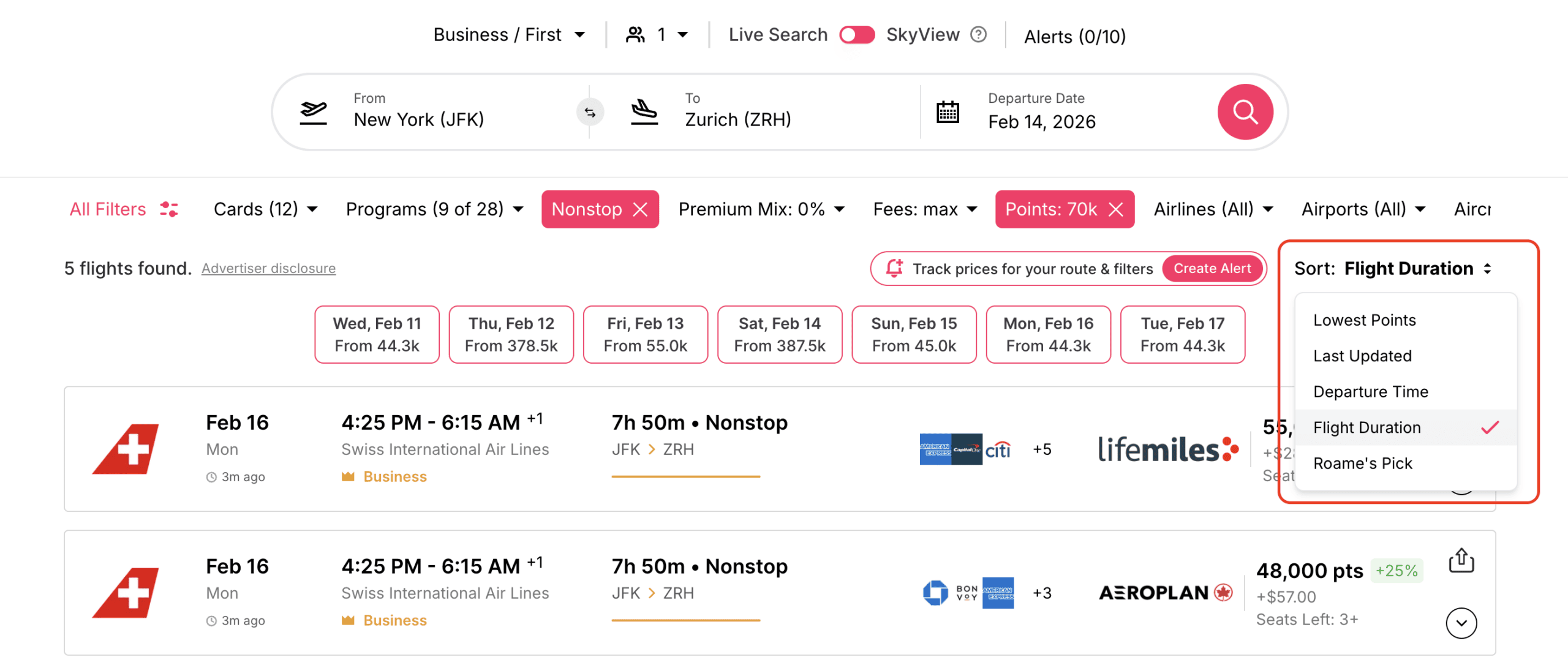
Sorting controls which results you see first. This matters more than many travelers realize.
Useful sorting strategies include:
- Sort by points, to surface the best value first
- Sort by date, to spot availability patterns
- Sort by duration, to avoid long itineraries
Sorting by points is especially helpful after you apply a maximum points filter. It quickly highlights which programs are offering the lowest pricing for the same flight.
Do Not Filter Too Early In SkyView or Discover
SkyView and Discover are about visibility, not control.
In these tools:
- Start with minimal filters
- Look for patterns first
- Narrow only after you understand what availability looks like
Over-filtering in SkyView often leads travelers to assume award space does not exist, when it actually does outside their narrow criteria.
Use Filters Differently Depending On The Tool
Each Roame search mode benefits from a slightly different filtering mindset.
- Discover – minimal filtering, focus on ideas
- SkyView – light filtering, focus on patterns
- Search – stronger filtering, focus on confirmation
Matching your filter strategy to the tool you are using prevents frustration and missed opportunities.
How To Set And Use Award Alerts On Roame.Travel
Many of the best award bookings do not come from running live searches at the right moment. They come from setting the right alert and acting quickly when availability appears. This is one of the most valuable features inside Roame.travel, especially for travelers targeting Business Class or First Class seats.

Award alerts turn award searching from a daily chore into a background process. Instead of checking the same routes over and over, you let Roame watch for you.
Why Award Alerts Matter So Much
Award availability changes constantly. Airlines add and remove seats based on demand, seasonality, and internal forecasting. These changes can happen at any time of day and often without warning.
Manually checking availability:
- Takes time
- Is easy to forget
- Encourages rushed decisions
Alerts solve this problem by monitoring availability continuously and notifying you when seats open that match your criteria. This is especially powerful for:
- Premium cabin awards
- Competitive routes
- Last minute releases
- Far in advance bookings when schedules first open
Who Can Use Alerts
Award alerts are available to Friends of Roame and Enterprise members. Free Community members can search and explore, but alerts require a paid plan.
Friends of Roame members can create:
- Up to 5 active alerts with a monthly subscription
- Up to 10 active alerts with an annual subscription
These limits encourage thoughtful alerts instead of setting dozens that never get reviewed.
How To Create An Award Alert
Creating an alert on Roame is straightforward.
Start by:
- Running a Search or SkyView query that matches what you want
- Confirming your route, date range, and cabin class
- Clicking the option to create an alert

Once created, the alert is added to your account automatically.

You can then customize:
- Email alerts, text alerts, or both
- Date ranges
- Specific cabins or programs
What Makes Roame Alerts Different
One of the most useful aspects of Roame alerts is that they do not deactivate after the first notification. Many award tools remove an alert as soon as availability appears once. Roame keeps the alert active. If availability appears again on another date within your parameters, you will be notified again.
This matters in real scenarios.
Imagine you set an alert for Business Class flights from New York to Tokyo over a ten day window. Availability appears for one day that does not work for you. With Roame, the alert stays active and continues watching. You may get another alert a week later that fits perfectly.
How To Set Smarter Alerts
The best alerts are flexible but focused.
Strong alert strategies include:
- Using date ranges instead of single days
- Targeting one cabin class at a time
- Choosing programs you can realistically book through
- Avoiding overly narrow filters
If an alert is too strict, it may never trigger. If it is too broad, it may generate noise. Start slightly flexible and tighten only if needed.
Alerts As Part Of A Larger Strategy
Alerts work best when combined with other Roame tools.
A practical workflow looks like this:
- Use Discover or SkyView to identify realistic routes and dates
- Set Alerts for the most promising options
- Use Search to confirm availability once an alert triggers
This approach keeps you informed without constant effort.
How To Use Roame.Travel To Find Business And First Class Award Availability
Finding Economy Class award seats is usually manageable. Finding Business Class and First Class award seats is where most travelers struggle. These seats deliver the highest value and the best onboard experience, but they are also the most limited and the most competitive. This is where Roame.travel becomes especially useful when used with the right approach.
Premium cabin awards require a different mindset than economy awards. Success depends far more on flexibility, timing, and strategy than on the size of your points balance.
Why Premium Cabin Awards Are So Limited
Airlines make most of their profit from Business Class and First Class seats. Because of this, they protect these cabins carefully and release award space only when it makes financial sense.
Most airlines follow a few common patterns:
- Releasing a very small number of seats when schedules first open
- Releasing additional seats close to departure if demand is weaker than expected
- Releasing seats inconsistently based on route, season, and demand
This unpredictability is why searching one specific date almost never works for premium cabins. Availability often exists, but not on the exact day you first try.
Why Roame.Travel Works Well For Premium Cabin Searches

Roame.Travel is built to handle this uncertainty.
Instead of forcing you to guess which dates might work, Roame allows you to:
- Explore availability across wider date ranges using SkyView
- Compare availability across multiple airline programs in one place
- Spot patterns in when premium seats tend to appear
- Set alerts so you do not need to check manually
This approach dramatically improves your odds. Rather than hoping availability shows up on your chosen date, you let availability guide your planning.
Start With Programs Known For Premium Value
Not all airline programs price premium cabins equally. Some consistently charge fewer points and lower fees for the same seat.
When searching for Business Class or First Class awards, prioritize programs that:
- Have strong partner airline access (i.e. Air Canada Aeroplan)
- Offer predictable pricing or caps (i.e. Japan Airlines Mileage Bank)
- Are transfer partners of major credit card programs (i.e. Air France-KLM Flying Blue)
Roame.travel helps by showing you multiple programs side by side for the same flight. This makes it easy to compare point costs before you move any points.
Use SkyView Before Search For Premium Cabins
Premium awards reward patience and flexibility.
Before jumping into Search, use SkyView to:
- Scan wide date ranges instead of exact dates
- Identify clusters of availability
- Learn which days or weeks are realistic
Once you see where availability exists, you can narrow your search and move into Search to confirm seats.
Focus On One Cabin At A Time
Mixing cabin classes is one of the fastest ways to miss good premium options.
Run separate searches for:
- Business Class only
- First Class only
This keeps results clean and makes it much easier to compare pricing, routing, and programs. Premium seats often sit lower in mixed results and get overlooked.
Combine Filters Carefully
For premium cabin searches, filters matter, but restraint matters more.
The most useful filters include:
- Cabin class
- Maximum points, to avoid poor value awards
- Stops, ideally nonstop or one stop
- Minimum seats, if traveling with others
Avoid stacking too many filters early. Let availability appear first, then refine only as needed.
Pay Attention To Freshness of Results
Premium cabin seats disappear quickly.
If availability was seen recently:
- It may still be bookable
- It is worth clicking through and confirming immediately
If availability was seen days ago:
- It may already be gone
- Setting an alert may be the smarter move
Cached results are excellent signals, but live confirmation is critical before acting.
Use Alerts As A Premium Cabin Strategy
Many successful premium cabin bookings happen through alerts rather than live searches.
Alerts work best when:
- You know the route you want
- You are flexible on dates
- You are searching far in advance or close to departure
Instead of checking daily, let Roame monitor availability and notify you the moment seats open.
Be Ready To Book Quickly
When premium availability appears, hesitation often costs the seat.
Before searching, make sure:
- You know which program you will book through
- You know which points you will transfer
- You understand the fees involved
Roame.travel helps you find the seat. Preparation is what allows you to keep it.
A Realistic Mindset For Premium Awards
Even with the best tools, premium cabin awards are not guaranteed. Some routes are harder than others. Some seasons are tighter than others.
What Roame.travel does is tilt the odds heavily in your favor by:
- Showing you more options
- Saving time
- Reducing guesswork
For travelers chasing Business Class and First Class flights, using Roame strategically is often the difference between giving up and booking a seat that would otherwise feel impossible to find.
What To Do After You Find Award Availability
Finding award space is an important win, but it is only half the process. Many award bookings fall apart after availability appears because travelers rush, transfer points too early, or skip confirmation steps.

Roame.travel is a discovery tool, not a booking engine. That means everything that happens next requires speed, accuracy, and a clear plan.
Step 1: Confirm Availability On The Airline Website
Roame.travel is a discovery and confirmation tool, not the final authority. Before you transfer points or celebrate, you should always verify the seat directly with the airline or loyalty program.
Open the airline website and search for:
- The same route
- The same date
- The same cabin class

Confirm that:
- The flight still appears
- The pricing matches what you saw on Roame
- The number of seats available works for your group
If the seat does not appear, do not transfer points yet. Try refreshing, checking another program, or setting an alert instead.
Step 2: Make Sure You Are Booking Through the Right Program
The same flight can often be booked through multiple programs. Roame shows you these options side by side, but you still need to choose intentionally.
Before booking, confirm:
- Which loyalty program you will book through
- How many points that program requires
- What taxes and fees are charged
A slightly higher point cost with much lower fees can still be the better deal. Focus on total value, not just the headline point number.
Step 3: Check Transfer Partners And Transfer Times

Not all point transfers are instant. Some happen immediately, others can take hours or days.
Before transferring points, make sure you know:
- Whether the transfer is instant or delayed
- If transfers are reversible, usually they are not
- Whether availability is likely to hold during the transfer window
If transfers are slow and availability is fragile, look for backup options or consider programs with instant transfers.
Step 4: Transfer Points Only After Availability Is Confirmed
One of the most common and costly mistakes in award travel is transferring points before confirming availability.
Always follow this order:
- Find availability
- Confirm availability on the airline website
- Confirm pricing and fees
- Transfer points
- Book immediately
Once points are transferred, they are usually locked into that program. Roame helps you avoid blind transfers, but only if you slow down and confirm each step.
Step 5: Book As Quickly As Possible
Award seats can disappear quickly, especially in Business Class and First Class.
When you are ready:
- Complete the booking immediately
- Avoid leaving the booking page open too long
- If an error occurs, refresh and try again promptly
Speed matters, but preparation matters more. Knowing your program, fees, and transfer plan ahead of time is what allows you to act quickly without mistakes.
Step 6: Save Your Confirmation Details
After booking, save:
- The confirmation number
- The ticket number, if provided
- Screenshots of the booking
- Email confirmations
This is especially important for partner bookings, where seat selection or changes may need to be handled by the operating airline rather than the program you booked through.
Step 7: Handle Seats And Extras After Booking
Once ticketed, log into the operating airline’s website to:
- Select seats
- Add frequent flyer numbers
- Confirm meal selections
- Review baggage rules
Do this as soon as possible. Partner bookings sometimes require an extra step to manage seats and preferences.
Roame.Travel vs Other Award Search Tools
Award flight search tools all aim to solve the same problem, finding flights you can actually book with points, but they approach that problem very differently. Understanding those differences helps you choose the right tool for the job instead of expecting one platform to do everything perfectly.
Below is a practical comparison of Roame.travel, Seats.aero, and Point.me, based on how travelers actually use them in real award searches.
Roame.Travel
The biggest strength of Roame.travel is accessibility. It is designed to help travelers see award availability without feeling overwhelmed.
Strengths
- Clean, guided interface that is easy to understand
- Multiple search modes that support inspiration, flexibility, and confirmation
- Strong alert system that stays active after triggering
- Program focused results that highlight partner opportunities
- Free tier that allows meaningful searching
Weaknesses
- Cached data can lag real time availability
- Fewer advanced filters than some competitors
- Less raw data density for power users
Roame excels at helping travelers move from confusion to clarity. It is especially effective for flexible planning and premium cabin inspiration.
Seats.aero
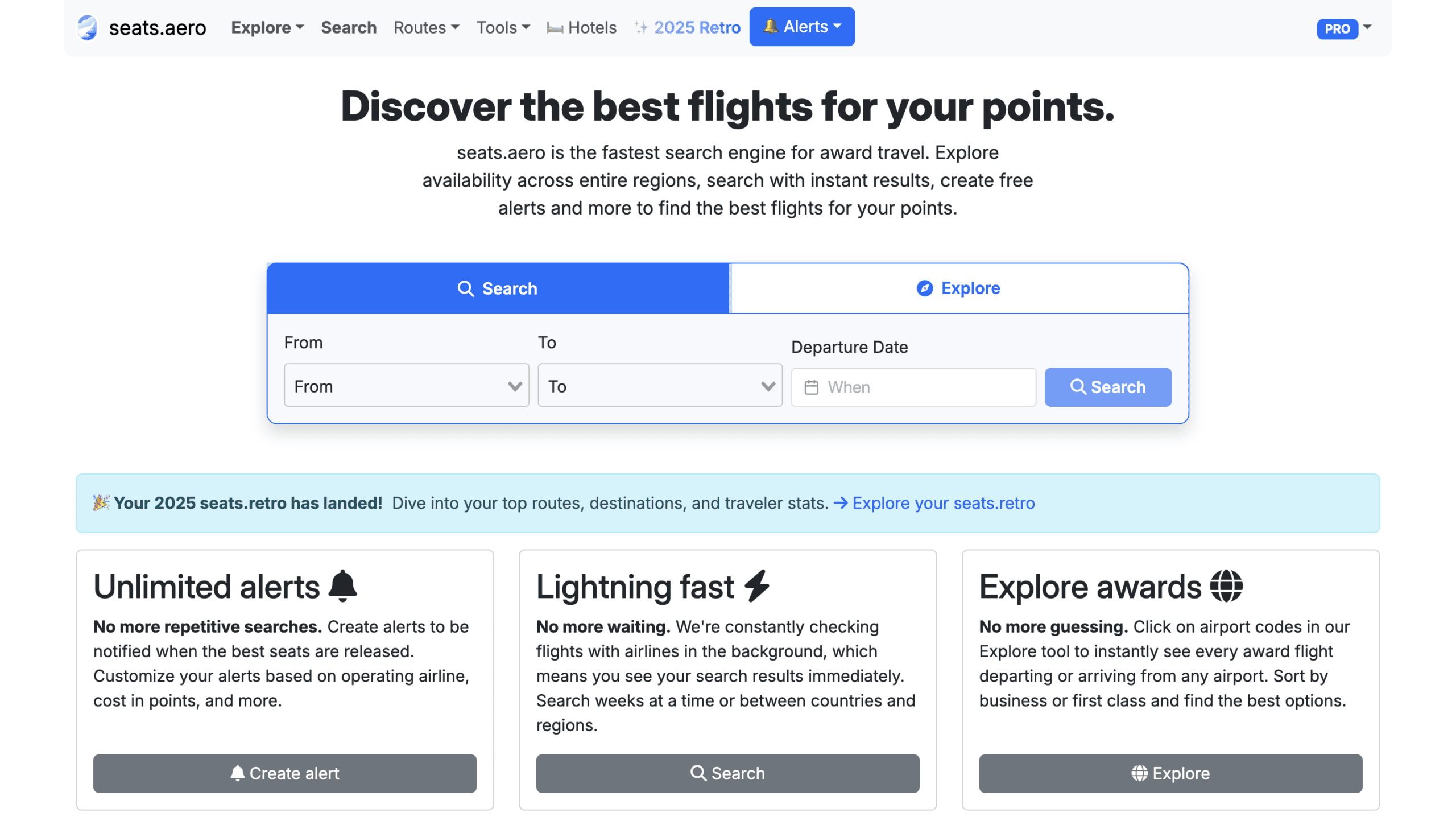
Seats.aero is built for speed, scale, and power. It favors data visibility over simplicity.
Strengths
- Extremely wide coverage of airline loyalty programs
- Powerful filtering and sorting options
- Fast scanning of large date ranges
- Advanced alerts and specialized finder tools
- Excellent for premium cabin and last minute searches
Weaknesses
- Interface can feel overwhelming for beginners
- Requires more knowledge of award travel concepts
- Less guided discovery compared to Roame
Seats.aero shines when you know what you are doing and want maximum control. It rewards experience and flexibility.
Point.me
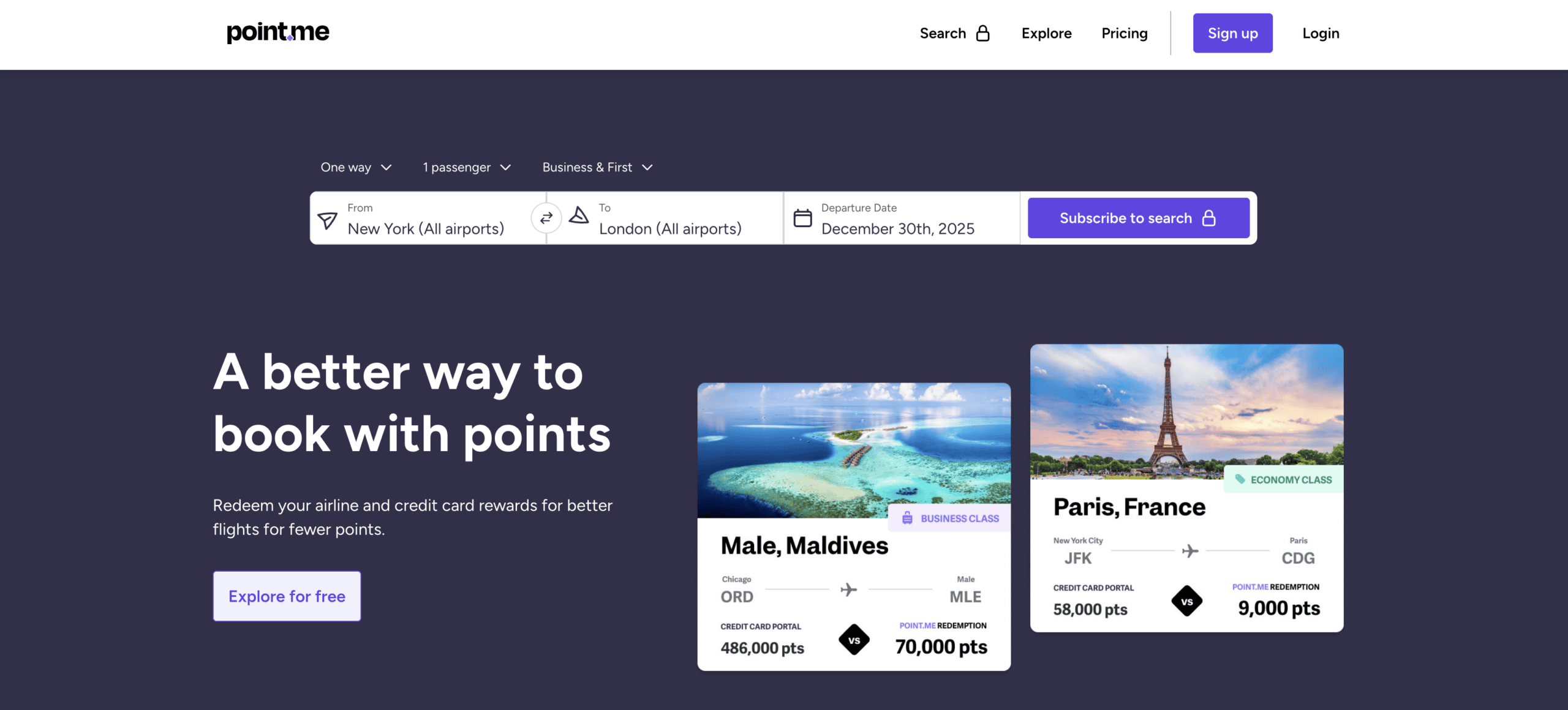
Point.me takes a different approach. It focuses on guided booking rather than exploration.
Strengths
- Step-by-step search flow
- Clear booking instructions after results appear
- Useful for straightforward, fixed date trips
- Reduces decision making for simple itineraries
Weaknesses
- Less flexible for wide or exploratory searches
- Limited visibility into broader availability patterns
- Less effective for premium cabin deal hunting
- Often slower for complex or flexible planning
Point.me is best when you have a specific trip in mind and want help executing it cleanly.
Which Tool Is Best For Beginners
For most beginners, Roame.travel is the easiest place to start.
Its visual layout, discovery tools, and program based results help new travelers understand how award availability works without requiring deep knowledge upfront. Features like Discover and SkyView allow beginners to learn by exploring real data instead of reading abstract rules.
Point.me can also work for beginners with very specific trips, but it teaches less about how award availability behaves over time.
Which Tool Is Best For Advanced Users
Advanced users tend to gravitate toward Seats.aero.
Its speed, depth, and advanced filters make it ideal for travelers who:
- Chase Business Class and First Class awards
- Monitor last minute availability
- Track multiple routes simultaneously
- Understand partner programs and pricing
Seats.aero rewards travelers who already have a strong mental model of award travel and want maximum visibility.
Why Many Travelers Should Use More Than One Tool
No single award search tool is perfect because award travel itself is messy and inconsistent. Each tool excels at different stages of the process.
A realistic and effective workflow often looks like this:
- Use Roame.travel to explore ideas, spot patterns, and set alerts
- Use Seats.aero to dig deeper into premium availability or advanced searches
- Use Point.me to help execute a simple, fixed itinerary
Using more than one tool is not redundant. It is strategic. Each platform shows availability slightly differently, pulls from different data sources, and highlights different opportunities.
Award travel is about stacking small advantages. Using the right tool at the right time improves your odds far more than relying on a single platform for everything.
Final Thoughts
Award travel does not fail because points are hard to earn. It fails because award availability is hard to see. Airline websites are slow, fragmented, and often hide the full picture. This is the gap that Roame.travel is designed to fill.
Roame is not a magic button that guarantees perfect flights on perfect dates. What it provides is visibility. It shows you what is actually available across airline loyalty programs, how that availability changes over time, and where flexibility creates opportunity. When used correctly, it replaces guesswork with informed decision making.
The biggest advantage of Roame is how it supports different stages of planning. Discover helps generate ideas grounded in real award space. SkyView reveals patterns that make flexible planning realistic. Search confirms what is bookable when it is time to act. Alerts quietly do the work in the background, often delivering the best results when you least expect them.
The most successful travelers do not rely on one perfect search or one lucky find. They build repeatable systems. Roame fits best when it becomes part of that system, not a last resort. Use it to explore first. Narrow intelligently. Confirm carefully. Transfer points only when you are ready to book.
If you have ever felt stuck with points you could not use, or frustrated after hours of searching airline websites, learning how to use Roame effectively can change your experience. Not by promising guaranteed outcomes, but by improving your odds every time you search.
That is the real value of a strong award search tool. It does not replace strategy. It makes good strategy easier to execute.